

Setup time: ~2 minutes
Prerequisites
- VS Code installed
- Kilo Code extension installed
- Infercom API key
Configuration
Step 1: Open Kilo Code Settings
- Open VS Code
- Click the Kilo Code icon in the sidebar
- Open the settings panel
Step 2: Select Provider
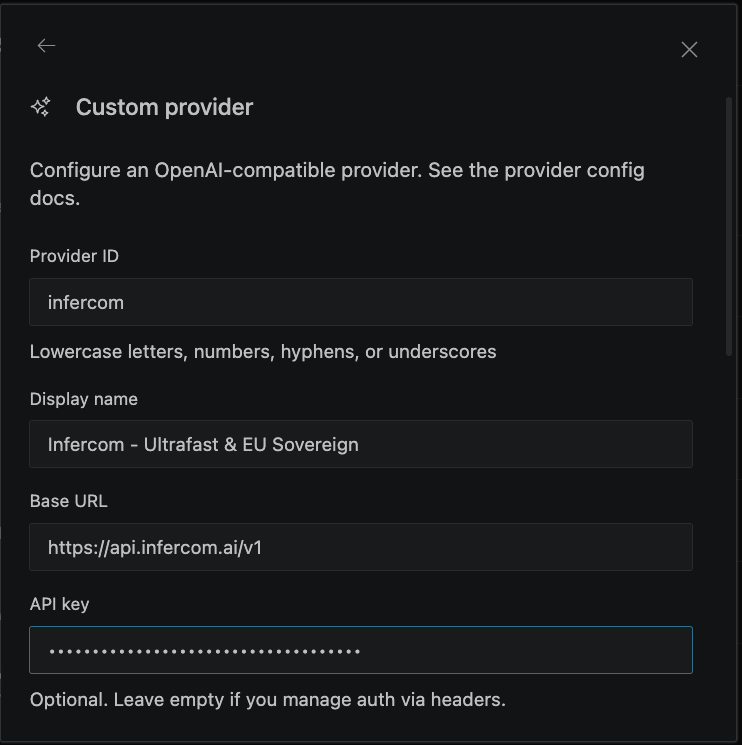
- In the API Provider dropdown, select OpenAI Compatible
- Enter the base URL:
https://api.infercom.ai/v1 - Enter your Infercom API key
- Enter the model name:
MiniMax-M2.7
Step 3: Model Configuration
In the Model Configuration section, set: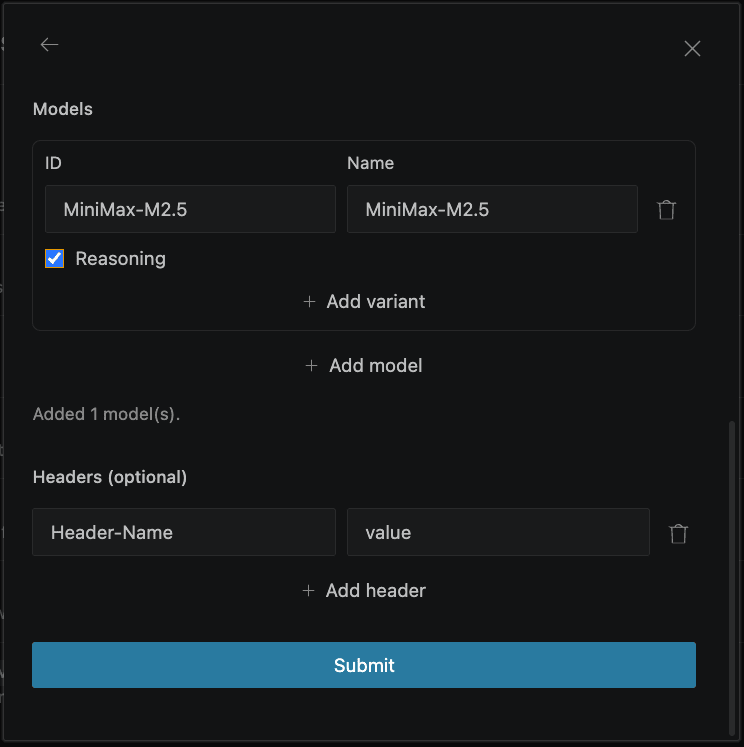
Step 4: Verify Connection
Start a conversation to verify the setup works.Model
UseMiniMax-M2.7 - optimized for agentic coding with 192K context window.
Usage
With Kilo Code configured:- Click the Kilo Code icon in VS Code sidebar
- Select a mode: Architect, Coder, or Debugger
- Type your request in the chat
- Kilo Code will autonomously:
- Read relevant files
- Write or edit code
- Run terminal commands
- Iterate until the task is complete
Modes
Example Tasks
- “Add error handling to the login function”
- “Write unit tests for the User class”
- “Refactor this file to use async/await”
Troubleshooting
Connection Failed
Verify your configuration:- Base URL:
https://api.infercom.ai/v1 - API key is valid
- Model name is exact:
MiniMax-M2.7
Invalid API Key Error
Double-check your Infercom API key is entered correctly. Test it:Model Not Found
Ensure the model name matches exactly (case-sensitive):MiniMax-M2.7
Slow Responses
MiniMax-M2.7 runs at 400+ tokens/sec. If responses seem slow:- Check your network connection
- Large context (many files) increases processing time
- First request may be slower due to model loading
Next Steps
- Cline - Similar VS Code agent
- Continue - Open-source alternative
- Choosing a Tool - Compare all options